← Back to Help & Guides · Kiro Setup
Step 2 of 2
Connect CloudOpsGPT to Kiro
Use the Sign-in URL and IAM Identity Centre region from Step 1.
-
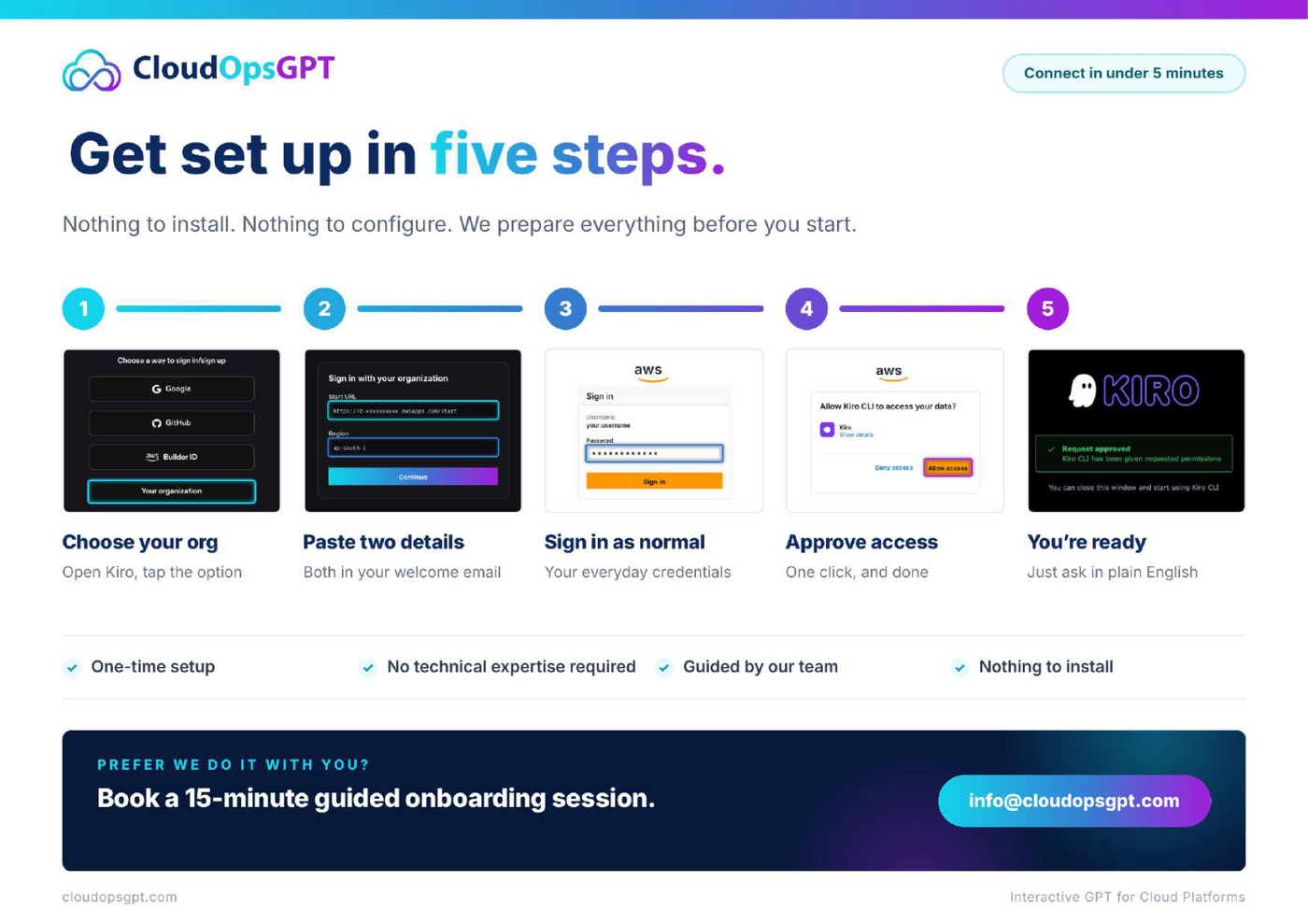
Choose your organisation
Open Kiro and choose the organisation sign-in option.
-
Paste the two details
Enter the Start URL / Sign-in URL and Region from Step 1.
-
Sign in as normal
Use your everyday organisation credentials.
-
Approve access
Approve the access request when prompted.
-
You’re ready
When access is approved, continue using CloudOpsGPT with Kiro.
Connected. Kiro is authenticated and CloudOpsGPT is ready.
If it doesn’t work
Confirm Step 1 is complete, re-check the Sign-in URL and region (no extra spaces), and retry sign-in. If approval is blocked, use the PDF for the full visual flow or contact support.
More reference